University of Notre Dame thesis
Academic
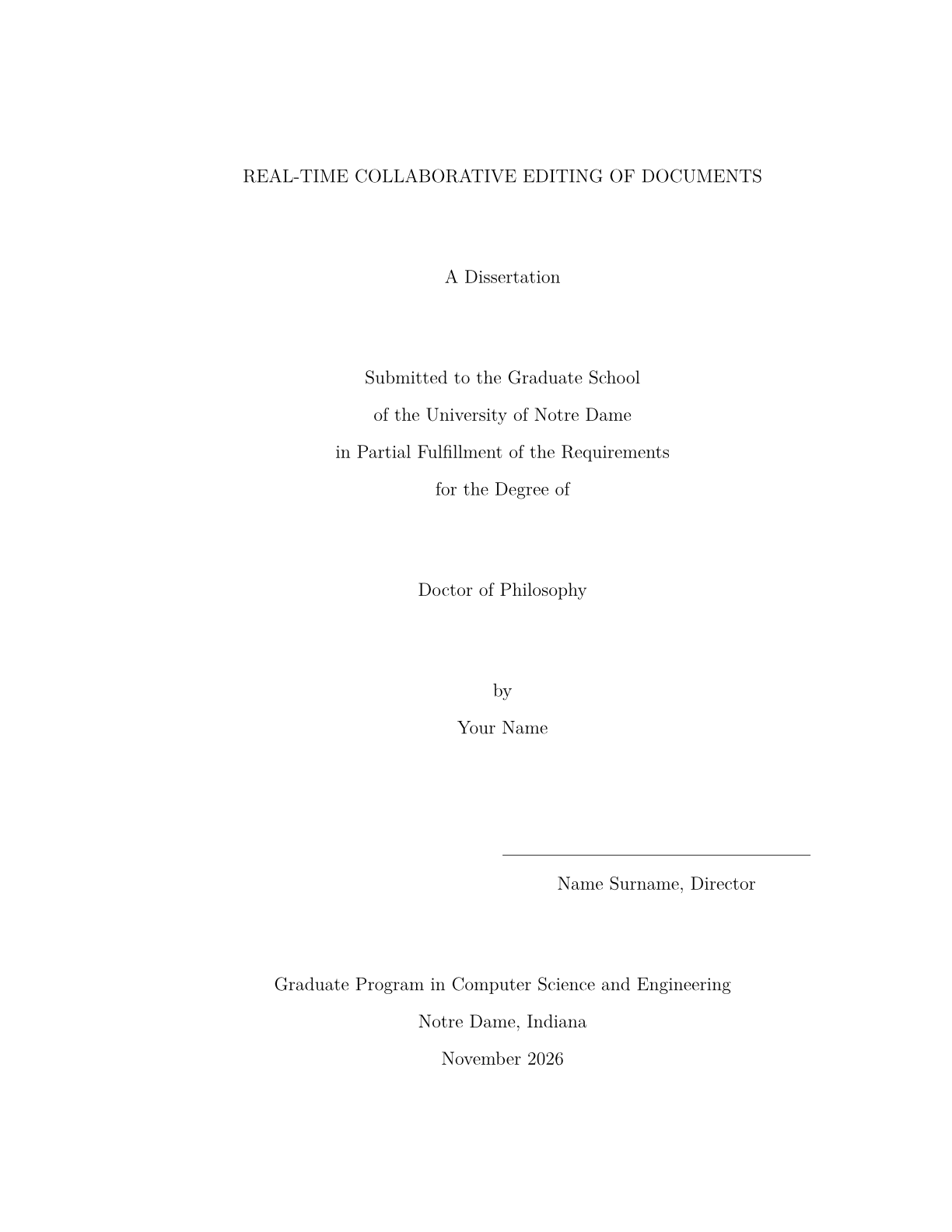
After the rules of the University of Notre Dame Graduate School (Guide for Formatting and Submitting Doctoral Dissertations and Master's Theses, 10/2026) and the class nddiss2e (Sameer Vijay, Megan Patnott, Shari Hill Sweet, Don Brower, LPPL), which the Graduate School links; the Graduate School notes that students created the class and that it does not maintain it (it supports its Word templates). A dissertation or a master's thesis in English: the title page with the title in capitals, the submission statement, the degree, your name, the signature line of your director (Director, or two Co-Director lines), the graduate program, Notre Dame, Indiana and the month and year of submission, an optional copyright notice, the abstract without a page number and with your name at the upper right of a second page, the dedication, the contents, the lists of figures and tables (only from five), the preface and the acknowledgments with an optional statement on the use of generative AI, chapters CHAPTER 1 in capitals on a new page about 2 inches down, sections 1.1 to 1.1.1.1 in the text's type, figures, tables and equations numbered within the chapter, the figure caption under the figure, TABLE 1.1 and the title in capitals over the table, appendices APPENDIX A followed by the bibliography, IEEE citations. US Letter, left margin 1.5 inches, the others 1 inch, Latin Modern 12 pt, double spacing, footnotes 10 pt, the page number centred at the foot, Roman page numbers from ii before the text, Arabic from 1 in the text.
- Format
- US Letter portrait
- Language
- EnglishENEnglish (default)
- Margins
- left 3.81 cm, right, top, and bottom 2.54 cm
- Body text
- Latin Modern Roman (Computer Modern) 12 pt, dvojité řádkování, seznamy, citace, popisky, literatura a položky obsahu jednoduše, poznámky 10 pt, do bloku, odstavce odsazené
- Headings
- Latin Modern Roman obyčejným řezem, kapitola verzálkami na střed
- Numbering
- CHAPTER 1 / 1.1 / 1.1.1 / 1.1.1.1
- Page number
- no page numbers
- Citations
- IEEEcan be changed
The template sets the look of the PDF. You write the content.